Item Variants in ERPNext - Overview and Usage
Managing products that come in multiple configurations is a common requirement in many businesses. Products such as mobile phones, garments, electronics, and spare parts often differ by attributes.

1. What Are Item Variants?
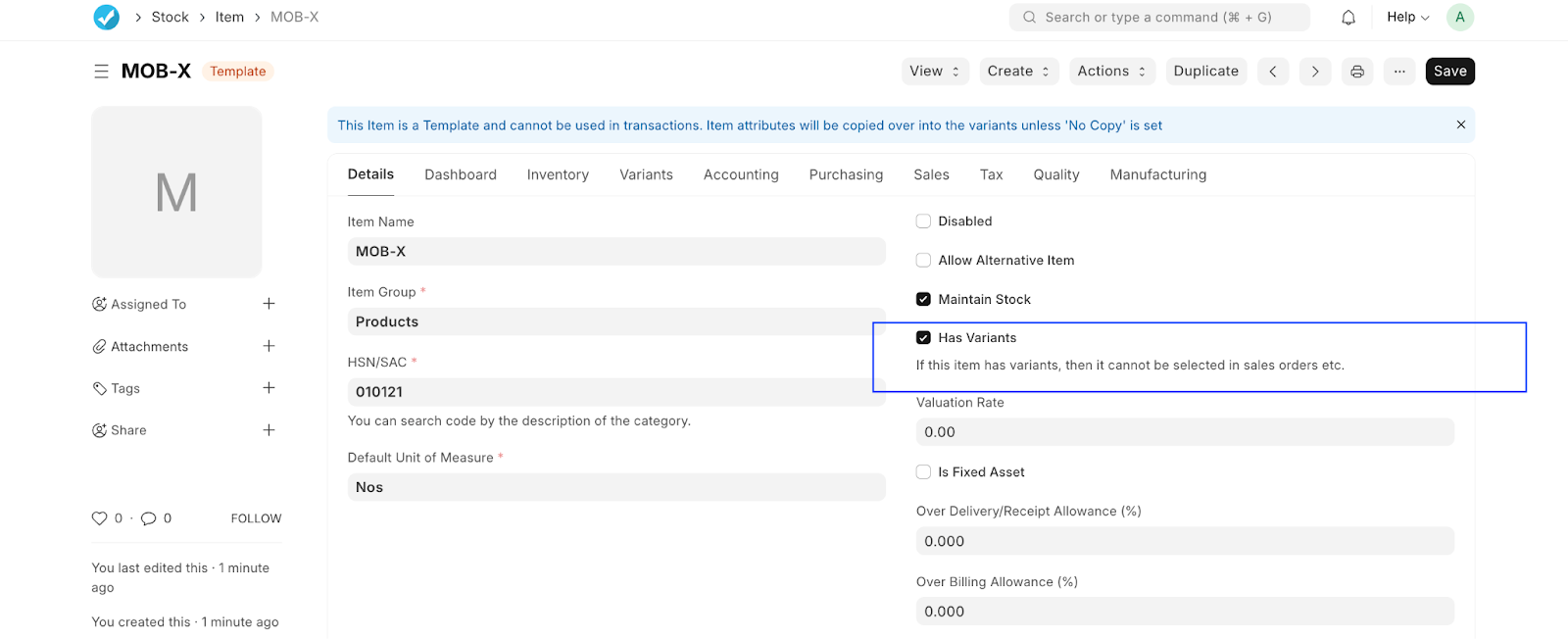
An Item Variant in ERPNext represents a specific version of a product derived from a common Item Template. The template holds shared information, while the variants represent unique combinations of attributes. In simple terms:
The Item Template acts as the parent or base item.
Item Variants are the child items created using attribute combinations.
Templates cannot be used in transactions, whereas variants can be used normally.
 .
.
Example Scenario Consider a mobile phone model named MOB-X that is sold in different configurations. The variations may include:
Storage: 64 GB, 128 GB, 256 GB
RAM: 4 GB, 6 GB, 8 GB
Colour: Red, Blue, Black
Instead of creating a separate item for each configuration manually, ERPNext allows the creation of one template and multiple variants based on these attributes. Creating an Item Template To create an Item Template in ERPNext:
Create a new Item
Enable the Has Variants checkbox
Save the item
Once this option is enabled:
The item becomes a template
It cannot be selected in Sales Orders, Purchase Orders, or Stock Entries
It is used only to generate and manage variants
 .
.
2. Defining Item Attributes
Attributes define what differentiates one variant from another. These attributes are created once and can be reused across multiple item templates. Common examples of attributes include: Storage (64 GB, 128 GB, 256 GB)
RAM (4 GB, 6 GB, 8 GB)
Colour (Red, Blue, Black)
Size, Weight, Capacity, etc.
Each attribute contains a predefined list of allowed values.
3. Creating Item Variants
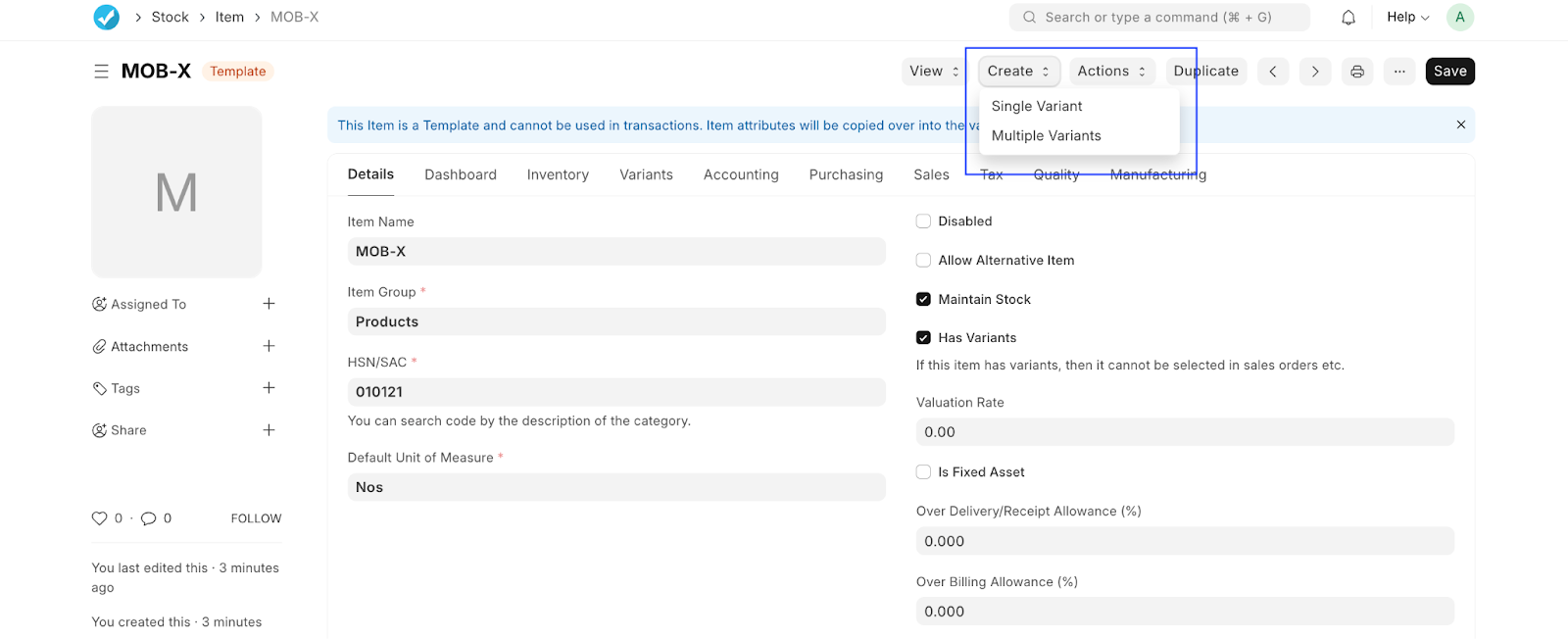
Item Variants are created directly from the Item Template. Steps involved: Open the Item Template
Click Create → Multiple Variants
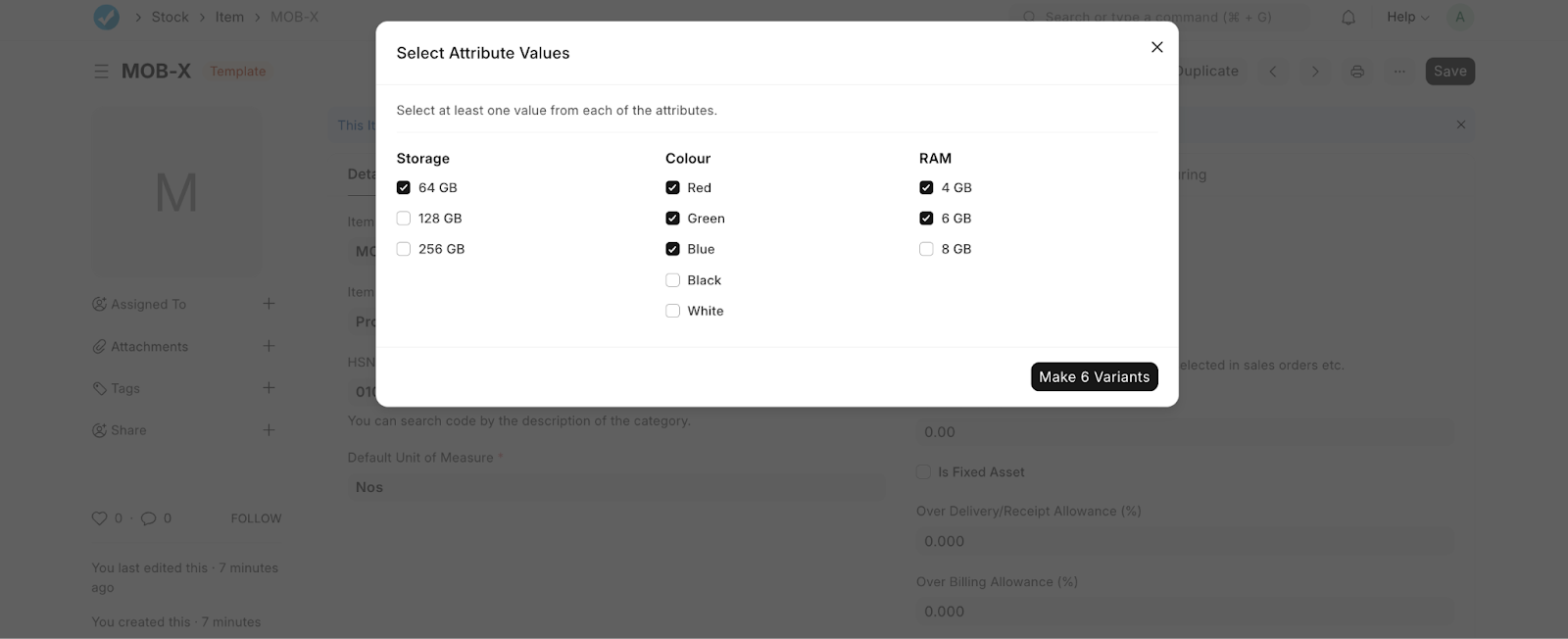
Select the required attribute values
Confirm the creation
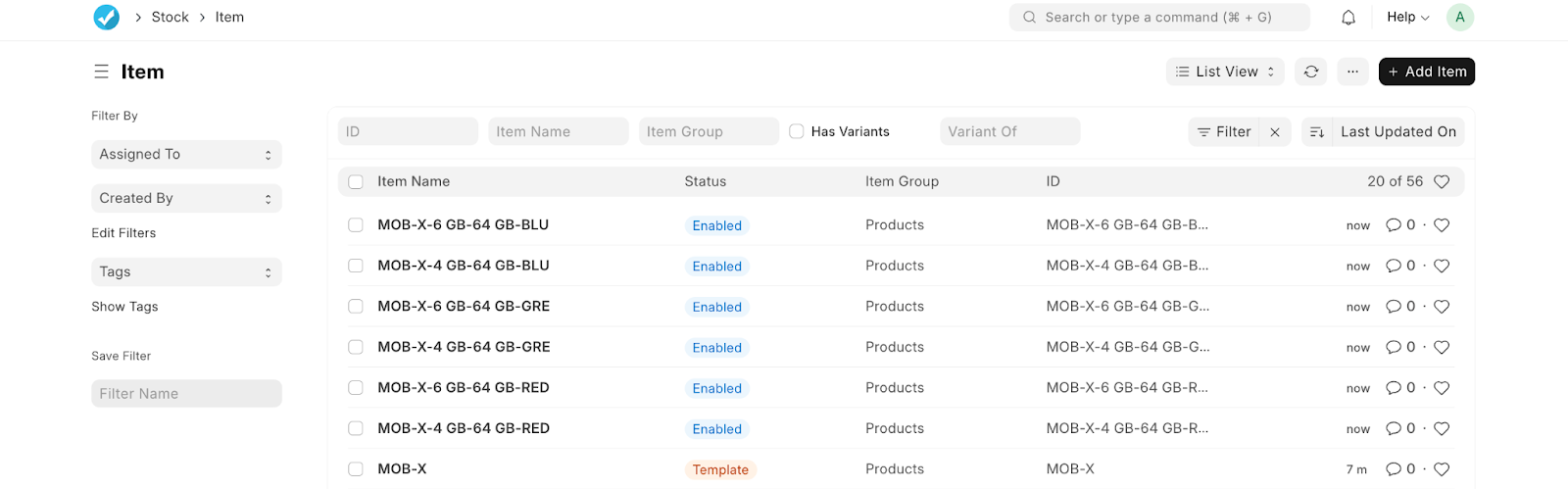
ERPNext automatically generates individual item codes for each valid combination of attributes. Examples of generated variants:
MOB-X – 64 GB – 4 GB – Blue
MOB-X – 128 GB – 6 GB – Red
MOB-X – 256 GB – 8 GB – Black
Each variant behaves as a separate item in the system.
 .
.
4. Using Item Variants in Transactions
Once variants are created, they can be used like standard items in all operational transactions, including: Sales Orders
Purchase Orders
Delivery Notes
Sales Invoices
Stock Entries
Each variant can maintain:
Separate stock balances
Individual pricing
Variant-specific barcodes and images
Common configurations such as Item Group, UOM, and tax settings are inherited from the template unless overridden.
 .
.
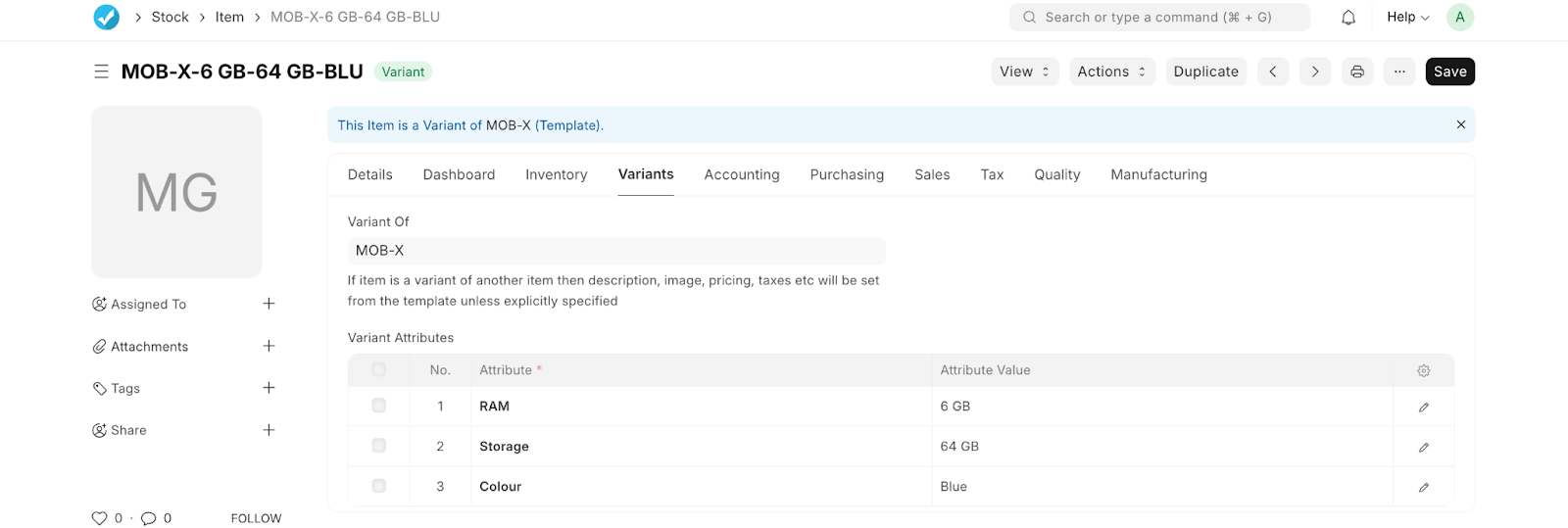
5. Visibility of Variant Attributes
Each Item Variant clearly displays its attribute values, such as:
RAM: 4 GB
Storage: 64 GB
Colour: Blue
This ensures accurate item identification during order processing, inventory handling, and reporting.
 .
.
6. Benefits of Using Item Variants
Using Item Variants in ERPNext provides several advantages:
Reduces duplication in the Item Master
Improves data consistency
Simplifies inventory management
Enhances reporting accuracy
Supports easy scalability as product options grow
Without variants, businesses often face cluttered item lists, higher chances of errors, and increased maintenance effort.
7. Best Practices
To use Item Variants effectively:
Use variants only when attributes impact inventory, pricing, or valuation
Keep attribute values standardized and consistent
Avoid creating variants for minor descriptive differences
Finalize and lock templates once they are actively used in production
8. Conclusion
Item Variants in ERPNext offer a structured and efficient way to manage products with multiple configurations. By using Item Templates and Attributes correctly, organizations can maintain clean master data, reduce operational complexity, and scale their product offerings without compromising system clarity.
This feature is especially valuable for trading, manufacturing, and retail businesses where product variations are a core part of operations.

Excellent