Understanding Group Assets and Asset Splitting in ERPNext
Managing fixed assets bought in bulk is complex. ERPNext simplifies this using Group Assets and Asset Split to ensure accurate valuation, depreciation, tracking, and clear accounting impact.

1.What is a Group Asset?
A Group Asset in ERPNext represents multiple identical assets purchased together and capitalized as a single asset initially.
Example:
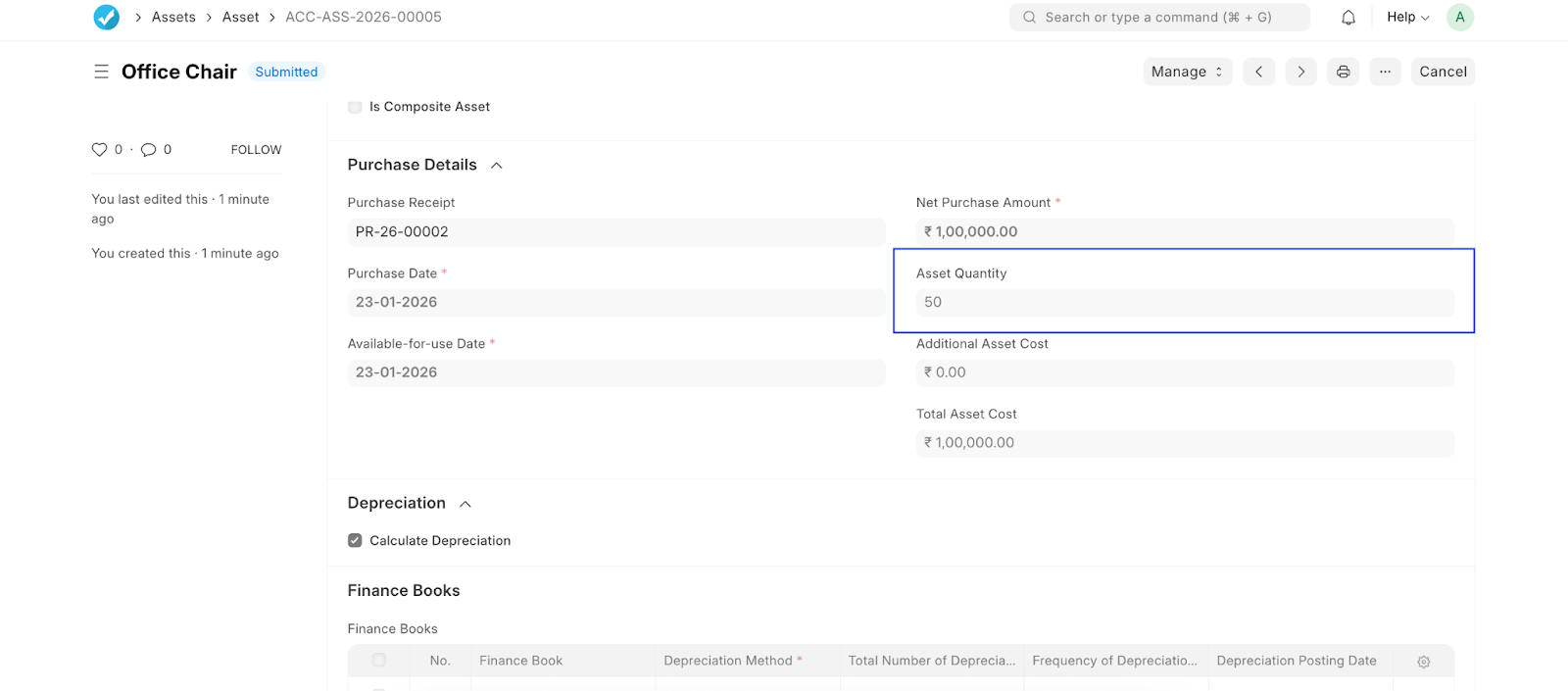
50 office chairs purchased under one invoice and recorded as a single asset. This approach:
- Simplifies initial asset creation
- Ensures consistent depreciation
- Allows later splitting into individual assets when needed
2. Creating a Group Asset
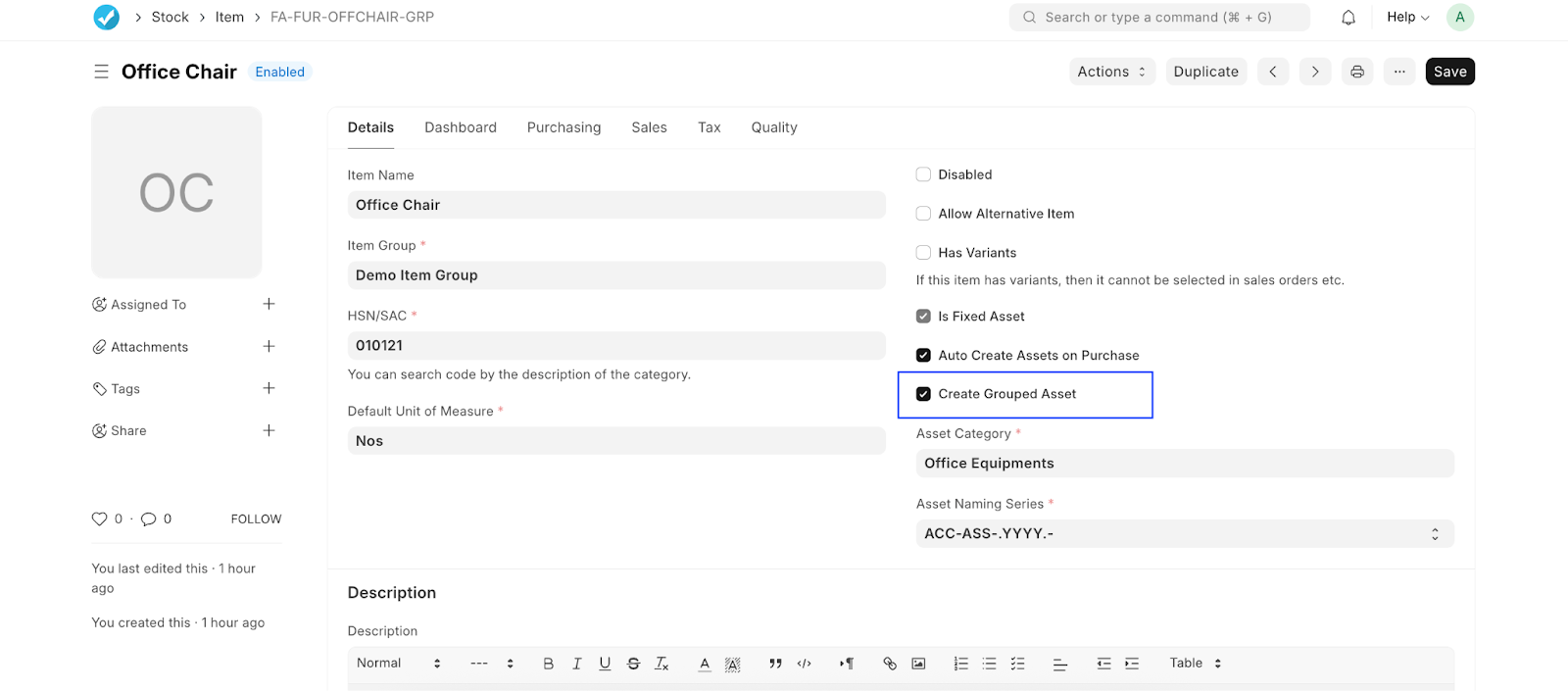
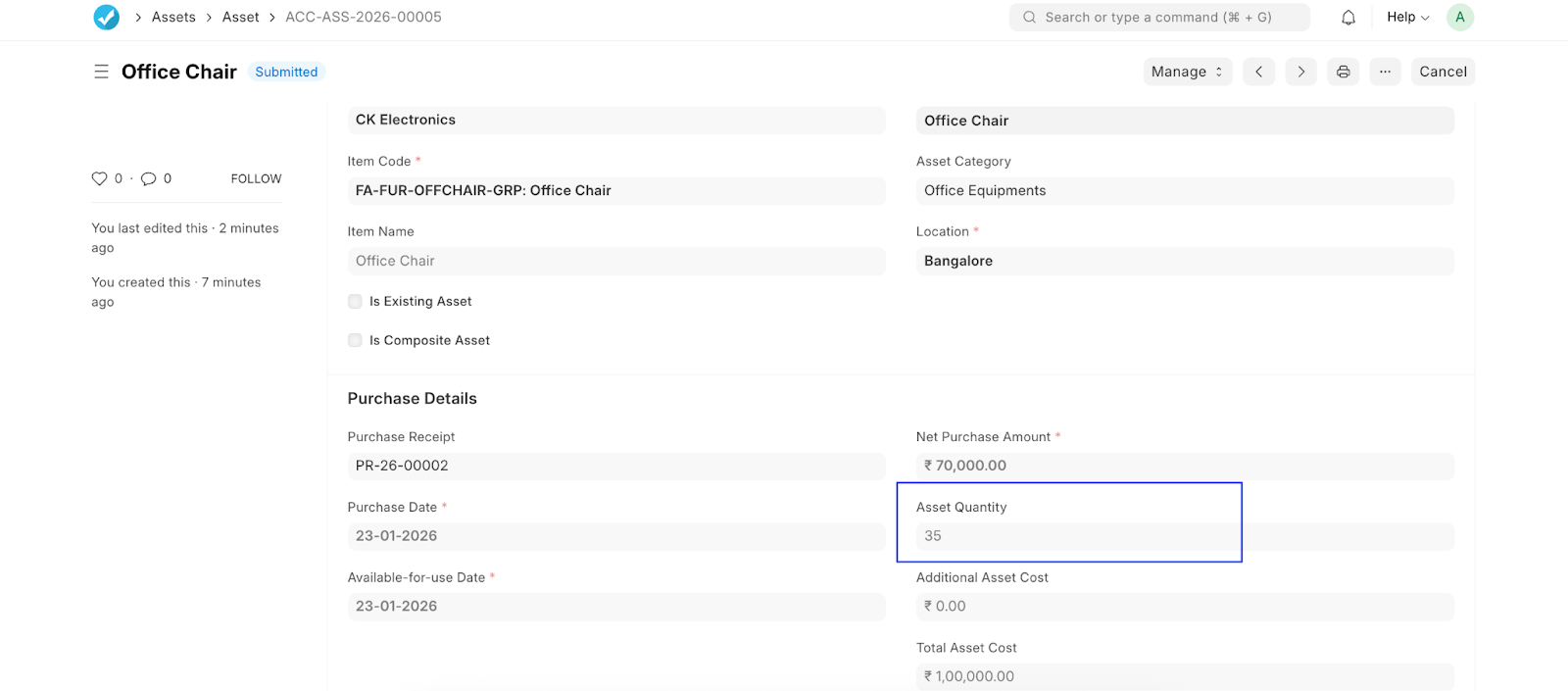
When creating an asset: * Enable “Is Group Asset” (In the Item Mater) * Enter the Asset Quantity (At the time of creation of Asset) * Link the Purchase Receipt * System calculates the Total Asset Cost * Depreciation schedule is auto-generated based on finance book settings
This setup is visible in the asset form where quantity and depreciation schedules are maintained together Group Asset
 .
.
 .
.
3. Depreciation for Group Assets
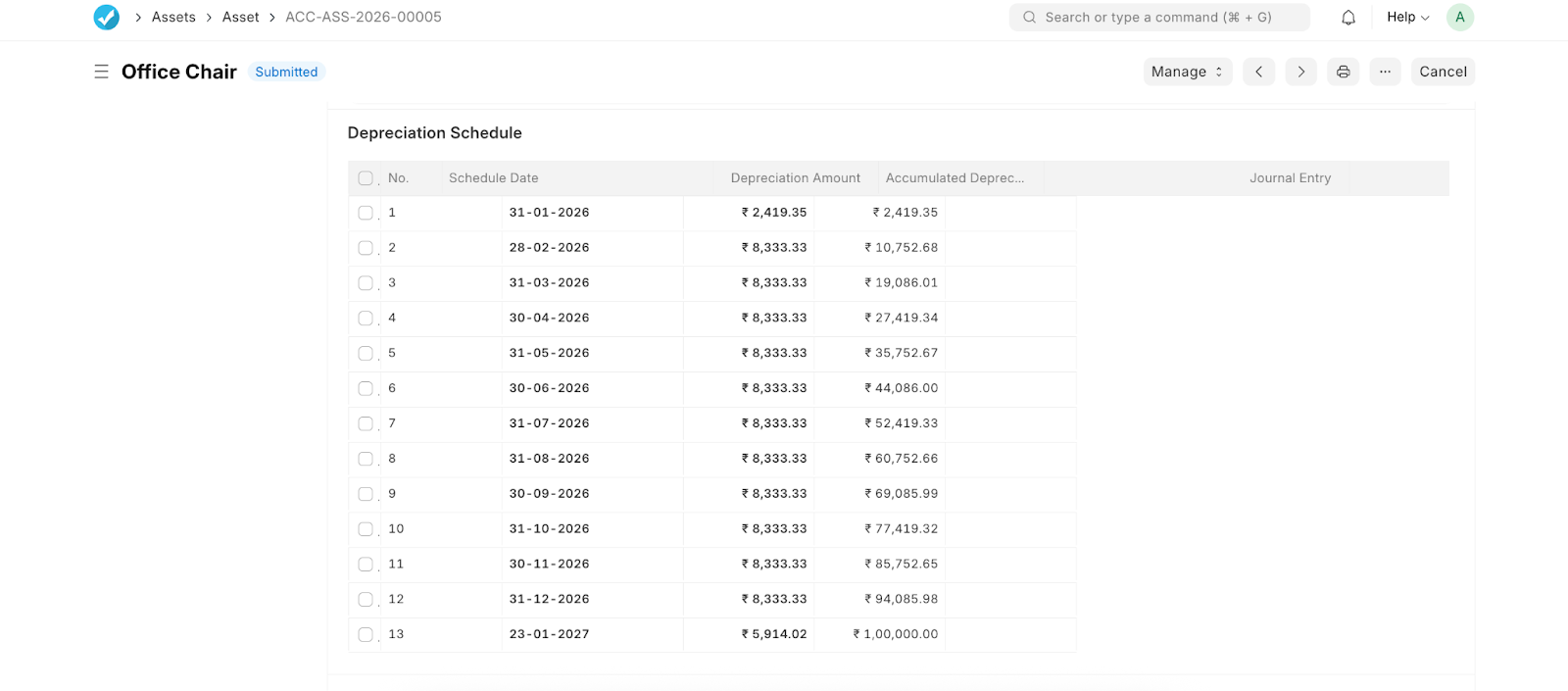
ERPNext calculates depreciation: * On the total asset value * Based on the selected method (Straight Line, WDV, etc.) * Posts periodic depreciation entries automatically * Each depreciation entry updates accumulated depreciation and the asset’s net book value accurately.
Group Asset
 .
.
4. Why Split a Group Asset?
Over time, organizations may need to:
- Transfer individual units
- Scrap or sell part of the asset
- Track assets department-wise or location-wise In such cases, Asset Split becomes essential.
Asset Split in ERPNext
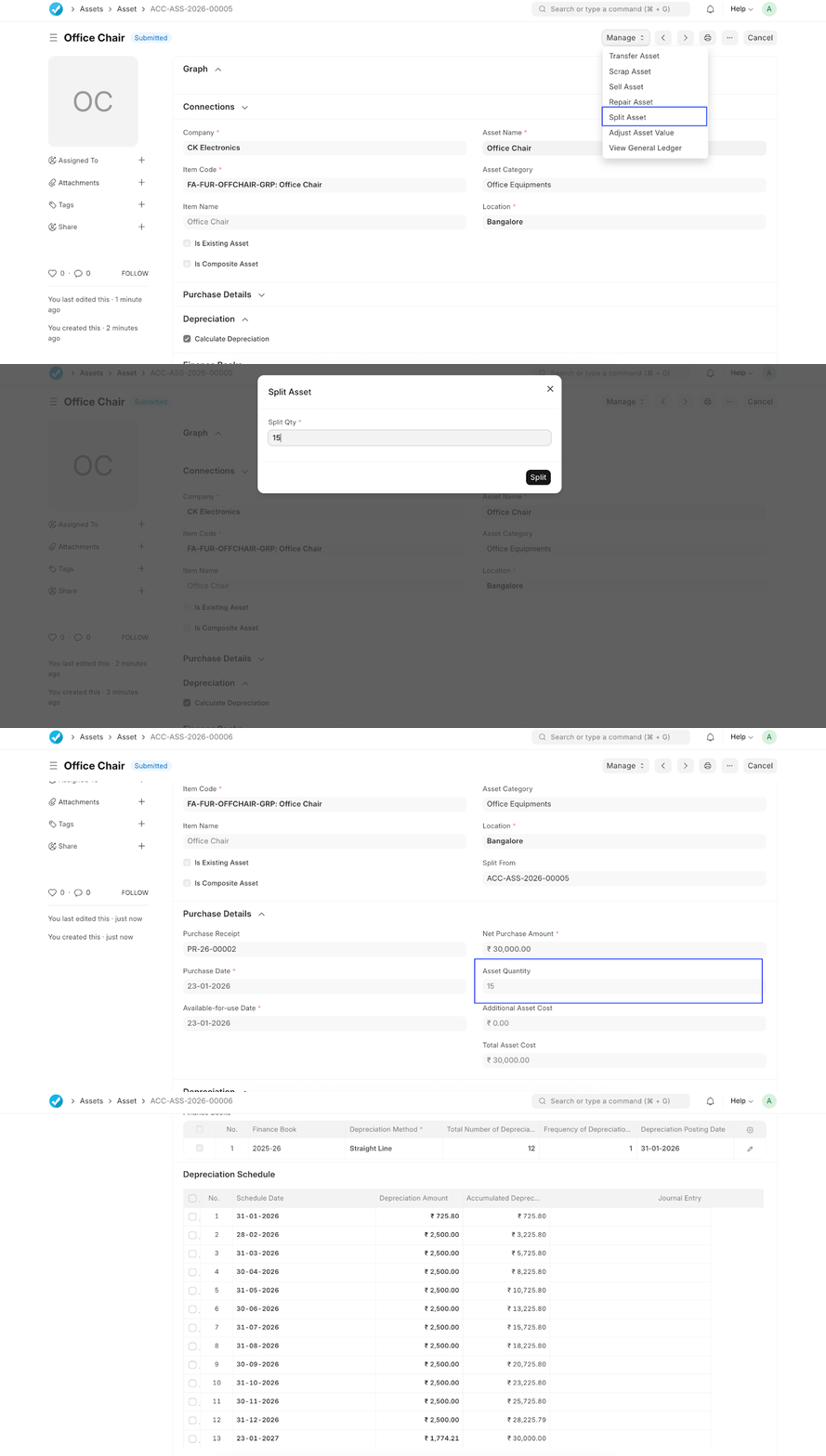
From the Manage menu, select Split Asset and specify the quantity to split. ERPNext will:
- Create a new asset for the split quantity
- Allocate proportional asset value
- Recalculate depreciation schedules for both assets
- Maintain proper asset references.
This ensures accounting continuity without manual journal adjustments. Group Asset.
 .
.
5. Post-Split Accounting Impact.
After splitting:.
- Both parent and child assets have independent depreciation
- Net book value remains accurate
- Audit trail is preserved
- Asset lifecycle actions (transfer, repair, sale, scrap) can be done independently This aligns asset management with real-world operational needs.
 .
.
.
.
Best Practices
- Use Group Assets for bulk purchases with identical characteristics
- Split assets only when operationally required
- Avoid manual depreciation adjustments post-split
- Review depreciation schedules after each split
Conclusion
Group Assets and Asset Splitting in ERPNext provide a flexible yet controlled approach to fixed asset management. They balance simplicity during purchase with precision during asset usage, ensuring compliance, traceability, and accurate financial reporting.

No comments yet. Login to start a new discussion Start a new discussion